# Event Features


# Stream Chat

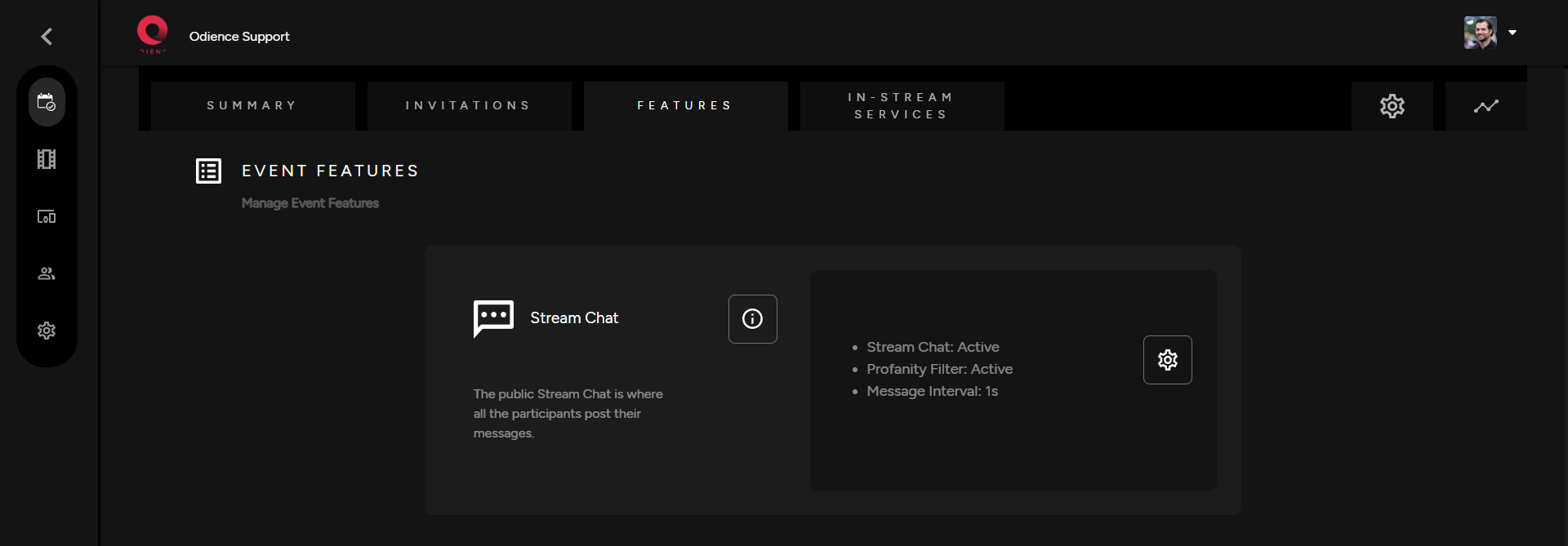
<span class="TextRun SCXW242685648 BCX0" data-contrast="none" lang="EN-US" xml:lang="EN-US"><span class="NormalTextRun SCXW242685648 BCX0">1. The stream chat is an optional feature.</span><span class="NormalTextRun SCXW242685648 BCX0"> Click the gear icon to to customize settings.</span></span>

[![Stream Chat.png](https://support.odience.com/uploads/images/gallery/2024-03/scaled-1680-/stream-chat.png)](https://support.odience.com/uploads/images/gallery/2024-03/stream-chat.png)

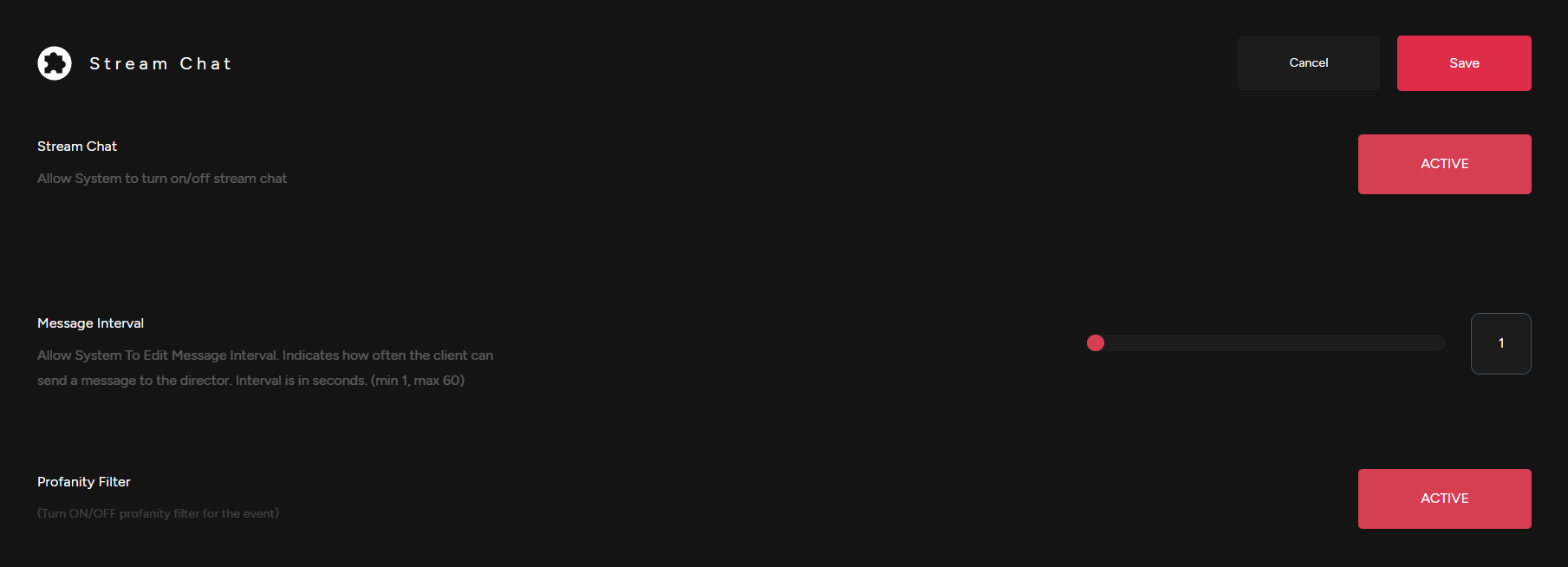
2\. Adjust Stream Chat settings. Activate or Deactivate chat, adjust message interval &amp; enable a profanity filter .

[![Stream Chat Settings.png](https://support.odience.com/uploads/images/gallery/2024-03/scaled-1680-/stream-chat-settings.png)](https://support.odience.com/uploads/images/gallery/2024-03/stream-chat-settings.png)

<span class="TextRun SCXW242685648 BCX0" data-contrast="none" lang="EN-US" xml:lang="EN-US"><span class="NormalTextRun SCXW242685648 BCX0">3. Click save to apply changes to your Stream Chat.</span></span>

<span class="EOP SCXW242685648 BCX0" data-ccp-props="{"201341983":0,"335559739":160,"335559740":259}"></span>

# Assign a Video Wall

##### **What is a Video Wall?**

\- Video Walls elevate your event by allowing you to display products and communicate with event participants.

- Click the "**i**" icon to see get a glimpse of what you can achieve with Odience Video Walls.

[![Video Wall Feature.png](https://support.odience.com/uploads/images/gallery/2024-03/scaled-1680-/1y8video-wall-feature.png)](https://support.odience.com/uploads/images/gallery/2024-03/1y8video-wall-feature.png)
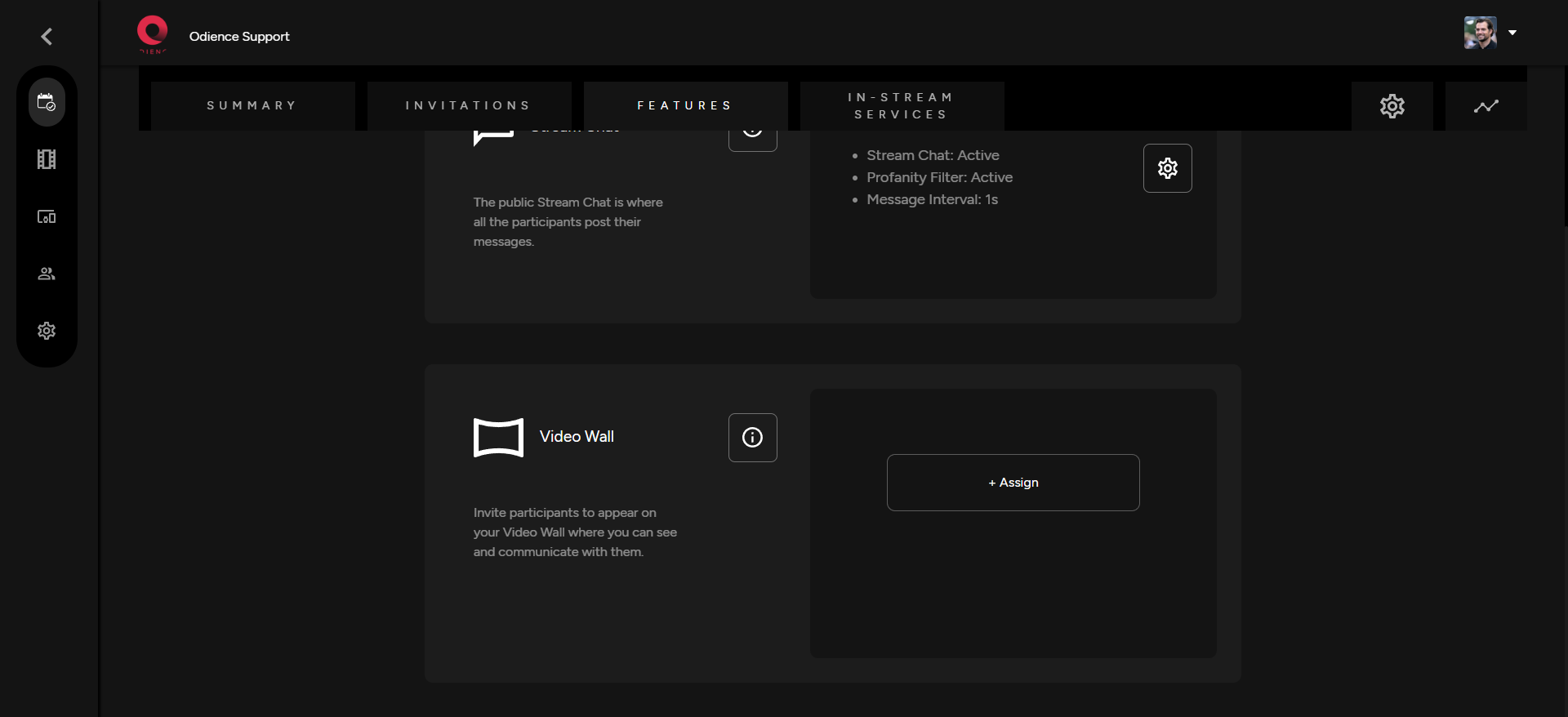
##### **Assign a Video Wall**

\- Create or assign an existing video by selecting one from the options in your dropdown. Click Assign and you are good to go.

[![Assign Video Wall.png](https://support.odience.com/uploads/images/gallery/2024-03/scaled-1680-/Gjiassign-video-wall.png)](https://support.odience.com/uploads/images/gallery/2024-03/Gjiassign-video-wall.png)
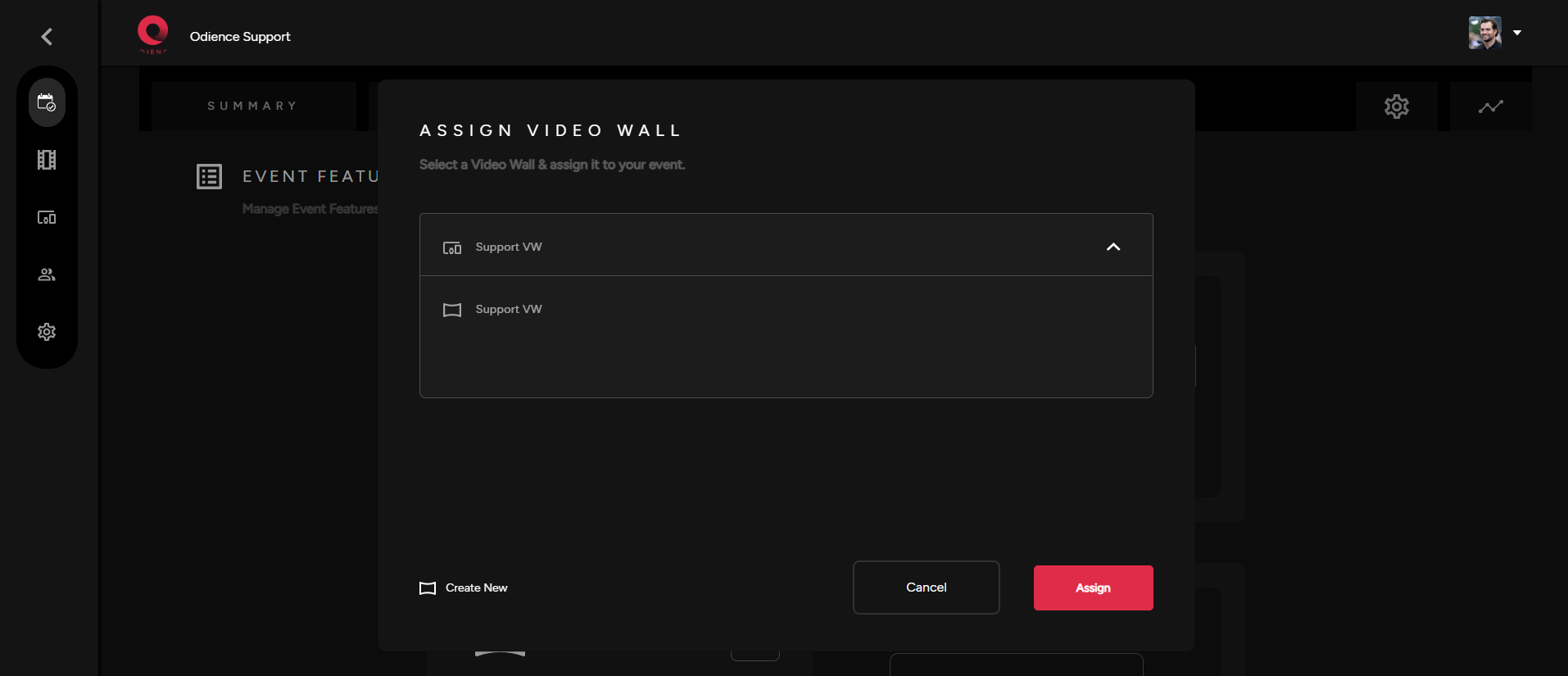
- To create your very own custom Video Wall, click here to see our [**Create Video Wall** ](https://support.odience.com/books/video-walls-other-devices/chapter/video-wall)guide.

# Assign Front Row Device

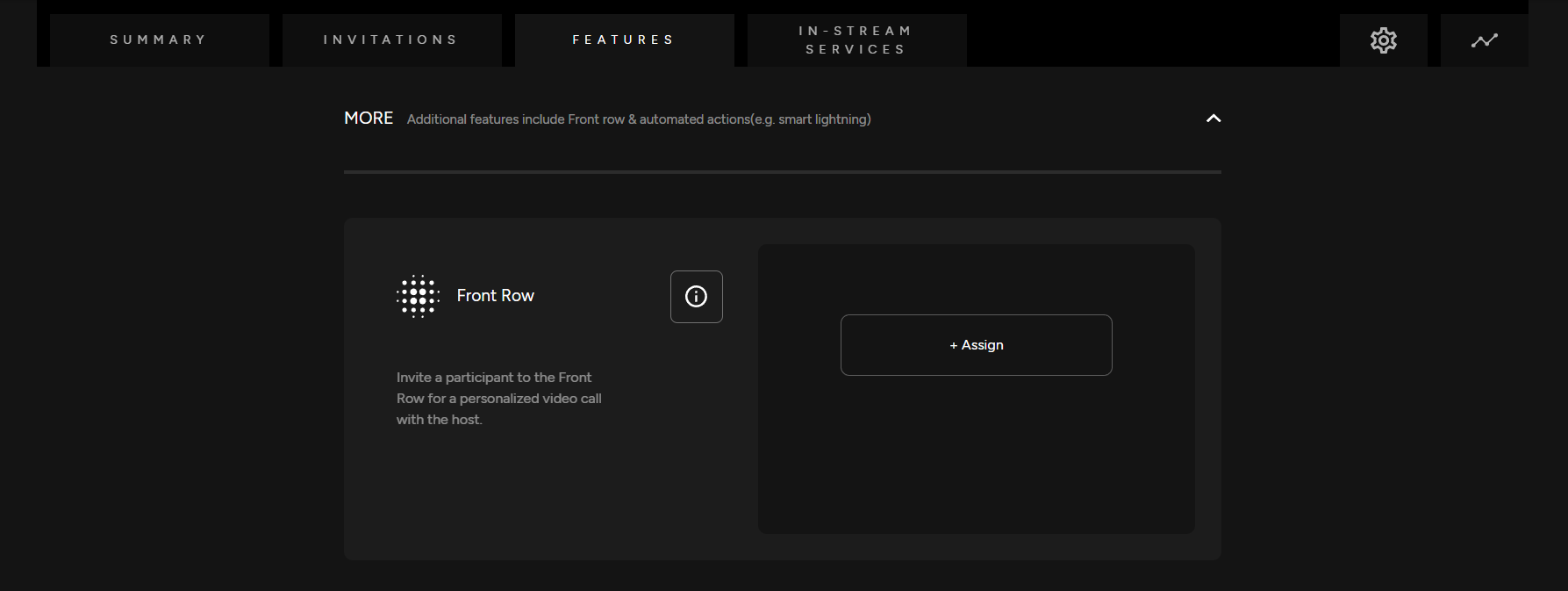
<span class="TextRun SCXW202545178 BCX0" data-contrast="none" lang="EN-US" xml:lang="EN-US"><span class="NormalTextRun SpellingErrorV2Themed SCXW202545178 BCX0">Front Row</span><span class="NormalTextRun SCXW202545178 BCX0"> allows a lucky viewer to get </span><span class="NormalTextRun SCXW202545178 BCX0">closer to the event </span><span class="NormalTextRun SCXW202545178 BCX0">via</span><span class="NormalTextRun SCXW202545178 BCX0"> a</span> <span class="NormalTextRun SCXW202545178 BCX0">1 on 1 </span><span class="NormalTextRun SCXW202545178 BCX0">video call </span><span class="NormalTextRun SCXW202545178 BCX0">with the </span><span class="NormalTextRun SCXW202545178 BCX0">host, artist, etc</span><span class="NormalTextRun SCXW202545178 BCX0">.</span></span><span class="TextRun SCXW202545178 BCX0" data-contrast="none" lang="EN-US" xml:lang="EN-US"><span class="NormalTextRun SCXW202545178 BCX0"> </span></span>

##### **<span class="TextRun SCXW202545178 BCX0" data-contrast="none" lang="EN-US" xml:lang="EN-US"><span class="NormalTextRun SCXW202545178 BCX0">Assign Front Row Device</span></span>**

<span class="TextRun SCXW202545178 BCX0" data-contrast="none" lang="EN-US" xml:lang="EN-US"><span class="NormalTextRun SCXW202545178 BCX0">Assign a Front Row device. You can enable or disable this feature</span><span class="NormalTextRun SCXW202545178 BCX0">. If there is not a Front Row device created, you will need to first create one.</span></span>

[![Front Row.png](https://support.odience.com/uploads/images/gallery/2024-03/scaled-1680-/front-row.png)](https://support.odience.com/uploads/images/gallery/2024-03/front-row.png)

- <span class="TextRun SCXW202545178 BCX0" data-contrast="none" lang="EN-US" xml:lang="EN-US"><span class="NormalTextRun SCXW202545178 BCX0">For more information, see our guide on how to [**Create a Front Row Device**](https://support.odience.com/books/video-walls-other-devices/page/create-front-row-device "Front Row").</span></span>

# Automated Actions

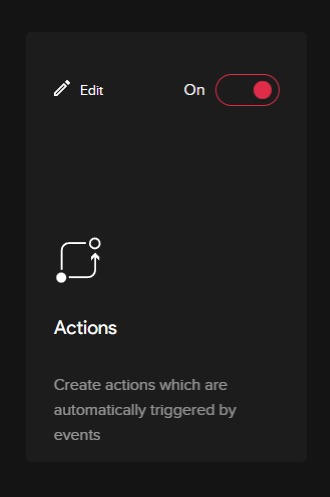
<span class="TextRun SCXW61442626 BCX0" data-contrast="none" lang="EN-US" xml:lang="EN-US"><span class="NormalTextRun SCXW61442626 BCX0">Actions</span></span><span class="TextRun SCXW61442626 BCX0" data-contrast="none" lang="EN-US" xml:lang="EN-US"><span class="NormalTextRun SCXW61442626 BCX0"> (</span></span><span class="TextRun SCXW61442626 BCX0" data-contrast="none" lang="EN-US" xml:lang="EN-US"><span class="NormalTextRun SCXW61442626 BCX0">Need more info on how to use/configure</span></span><span class="TextRun SCXW61442626 BCX0" data-contrast="none" lang="EN-US" xml:lang="EN-US"><span class="NormalTextRun SCXW61442626 BCX0">)</span></span><span class="EOP SCXW61442626 BCX0" data-ccp-props="{"201341983":0,"335559739":160,"335559740":259}"> </span>

<span class="TextRun SCXW61442626 BCX0" data-contrast="none" lang="EN-US" xml:lang="EN-US"><span class="NormalTextRun SCXW61442626 BCX0">-Create actions which are automatically triggered by certain events. The specific event/action will have to be programmed in the edit section of the actions section. </span></span><span class="EOP SCXW61442626 BCX0" data-ccp-props="{"201341983":0,"335559739":160,"335559740":259}"> </span>
<span class="SCXW61442626 BCX0"><span class="WACImageContainer NoPadding DragDrop BlobObject SCXW61442626 BCX0" role="presentation">![](http://support.odience.com/uploads/images/gallery/2023-12/embedded-image-k67ldgrr.png)</span></span><span class="EOP SCXW61442626 BCX0" data-ccp-props="{"201341983":0,"335559739":160,"335559740":259}"> </span>

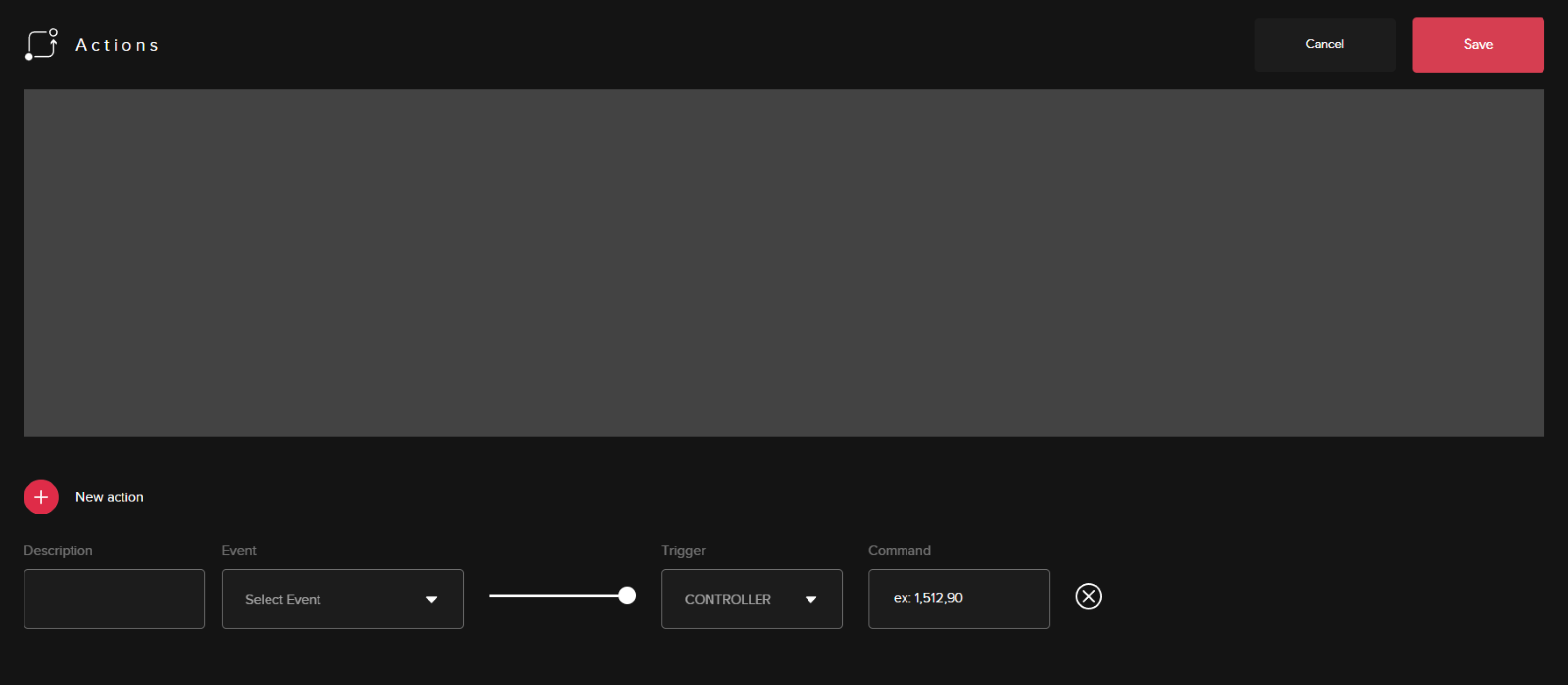
<div class="ListContainerWrapper SCXW61442626 BCX0" id="bkmrk-the-main-part-of-the">- <span class="TextRun SCXW61442626 BCX0" data-contrast="none" lang="EN-US" xml:lang="EN-US"><span class="NormalTextRun SCXW61442626 BCX0">The main part of the editing panel will be setting up the actions trigger than initiating a command. </span></span><span class="EOP SCXW61442626 BCX0" data-ccp-props="{"201341983":0,"335559739":160,"335559740":259}"> </span>
</div><span class="SCXW61442626 BCX0"><span class="WACImageContainer NoPadding DragDrop BlobObject SCXW61442626 BCX0" role="presentation">![](http://support.odience.com/uploads/images/gallery/2023-12/embedded-image-glb23yap.png)</span></span><span class="EOP SCXW61442626 BCX0" data-ccp-props="{"201341983":0,"335559685":0,"335559739":160,"335559740":259}"> </span>

<span class="EOP SCXW61442626 BCX0" data-ccp-props="{"201341983":0,"335559739":160,"335559740":259}"></span>