# Assign Front Row Device

<span class="TextRun SCXW202545178 BCX0" data-contrast="none" lang="EN-US" xml:lang="EN-US"><span class="NormalTextRun SpellingErrorV2Themed SCXW202545178 BCX0">Front Row</span><span class="NormalTextRun SCXW202545178 BCX0"> allows a lucky viewer to get </span><span class="NormalTextRun SCXW202545178 BCX0">closer to the event </span><span class="NormalTextRun SCXW202545178 BCX0">via</span><span class="NormalTextRun SCXW202545178 BCX0"> a</span> <span class="NormalTextRun SCXW202545178 BCX0">1 on 1 </span><span class="NormalTextRun SCXW202545178 BCX0">video call </span><span class="NormalTextRun SCXW202545178 BCX0">with the </span><span class="NormalTextRun SCXW202545178 BCX0">host, artist, etc</span><span class="NormalTextRun SCXW202545178 BCX0">.</span></span><span class="TextRun SCXW202545178 BCX0" data-contrast="none" lang="EN-US" xml:lang="EN-US"><span class="NormalTextRun SCXW202545178 BCX0"> </span></span>

##### **<span class="TextRun SCXW202545178 BCX0" data-contrast="none" lang="EN-US" xml:lang="EN-US"><span class="NormalTextRun SCXW202545178 BCX0">Assign Front Row Device</span></span>**

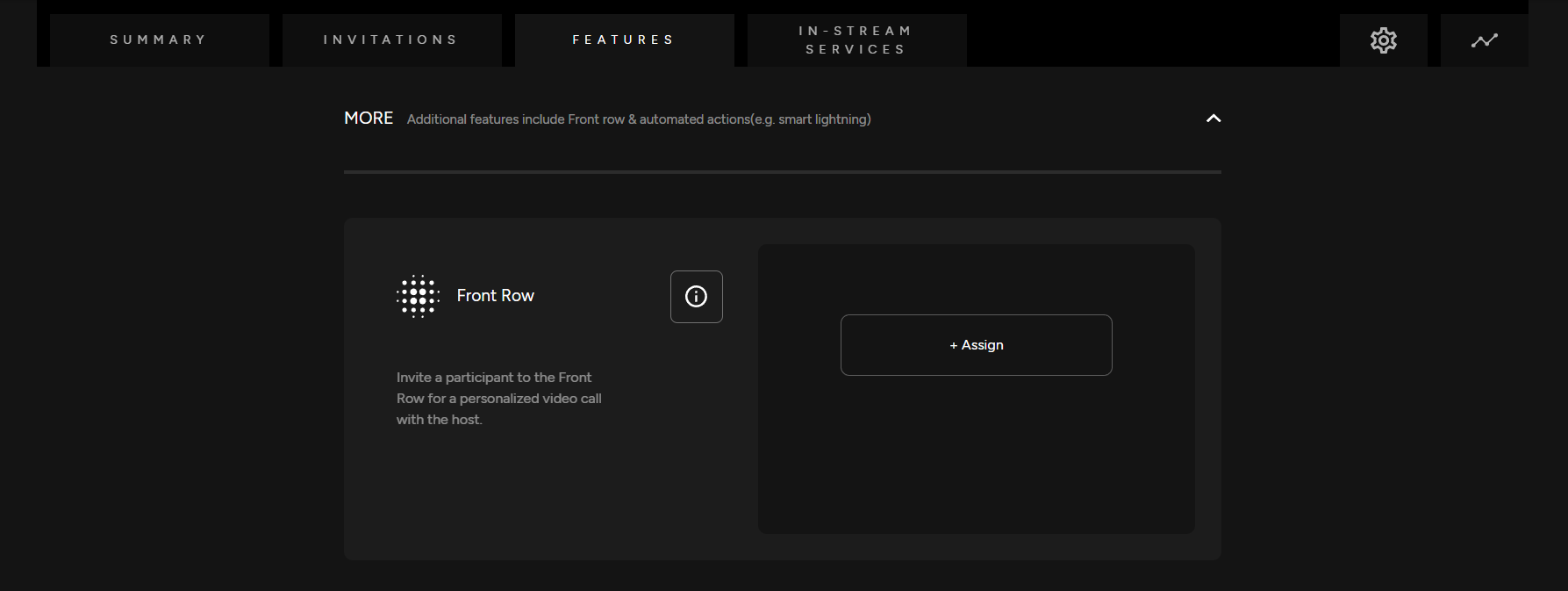
<span class="TextRun SCXW202545178 BCX0" data-contrast="none" lang="EN-US" xml:lang="EN-US"><span class="NormalTextRun SCXW202545178 BCX0">Assign a Front Row device. You can enable or disable this feature</span><span class="NormalTextRun SCXW202545178 BCX0">. If there is not a Front Row device created, you will need to first create one.</span></span>

[![Front Row.png](https://support.odience.com/uploads/images/gallery/2024-03/scaled-1680-/front-row.png)](https://support.odience.com/uploads/images/gallery/2024-03/front-row.png)

- <span class="TextRun SCXW202545178 BCX0" data-contrast="none" lang="EN-US" xml:lang="EN-US"><span class="NormalTextRun SCXW202545178 BCX0">For more information, see our guide on how to [**Create a Front Row Device**](https://support.odience.com/books/video-walls-other-devices/page/create-front-row-device "Front Row").</span></span>