# Stream Chat

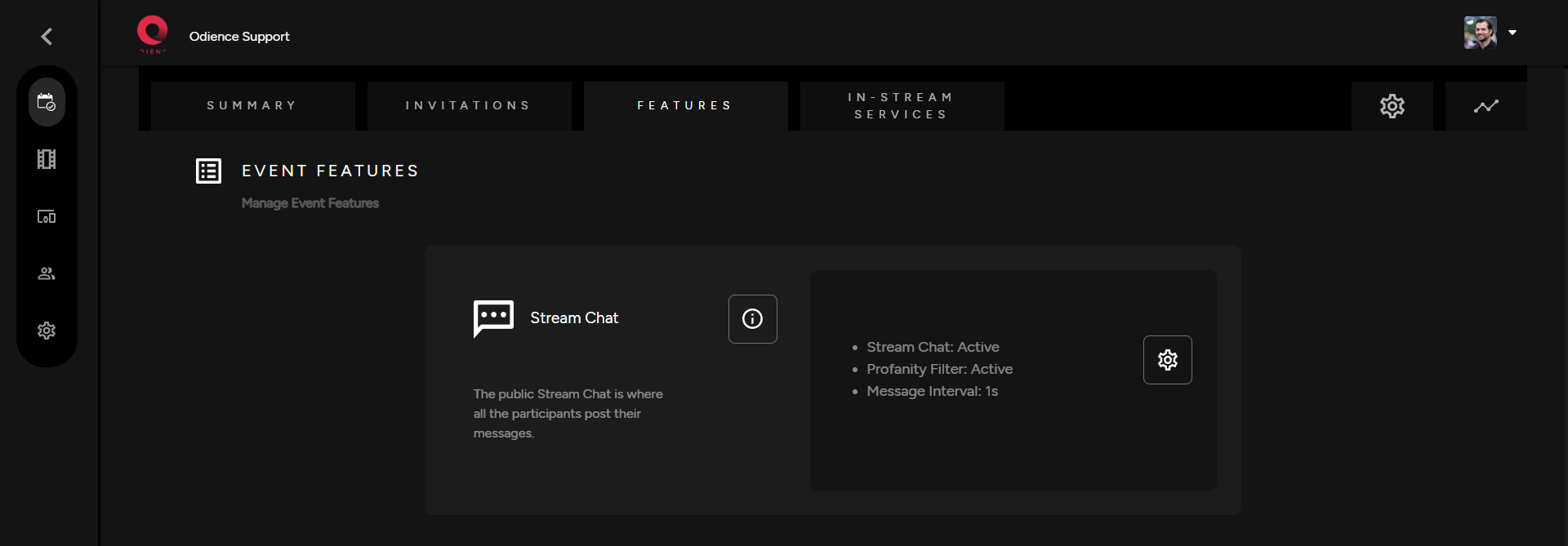
<span class="TextRun SCXW242685648 BCX0" data-contrast="none" lang="EN-US" xml:lang="EN-US"><span class="NormalTextRun SCXW242685648 BCX0">1. The stream chat is an optional feature.</span><span class="NormalTextRun SCXW242685648 BCX0"> Click the gear icon to to customize settings.</span></span>

[![Stream Chat.png](https://support.odience.com/uploads/images/gallery/2024-03/scaled-1680-/stream-chat.png)](https://support.odience.com/uploads/images/gallery/2024-03/stream-chat.png)

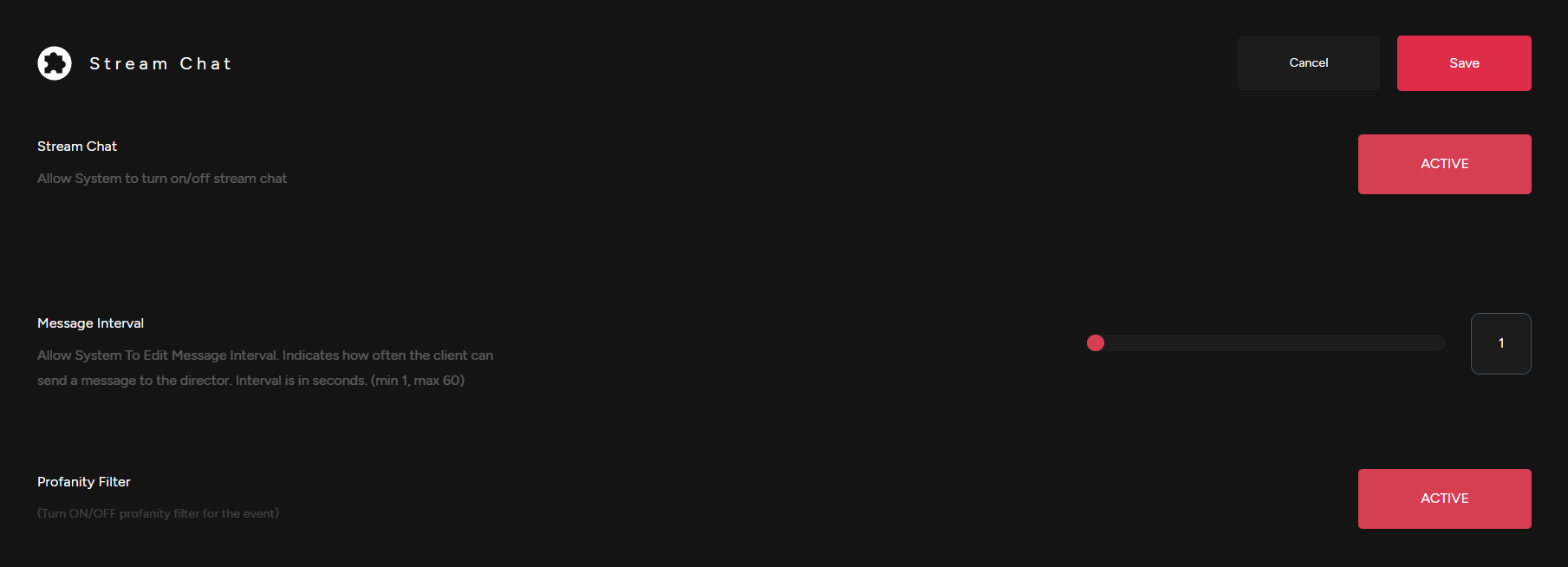
2\. Adjust Stream Chat settings. Activate or Deactivate chat, adjust message interval &amp; enable a profanity filter .

[![Stream Chat Settings.png](https://support.odience.com/uploads/images/gallery/2024-03/scaled-1680-/stream-chat-settings.png)](https://support.odience.com/uploads/images/gallery/2024-03/stream-chat-settings.png)

<span class="TextRun SCXW242685648 BCX0" data-contrast="none" lang="EN-US" xml:lang="EN-US"><span class="NormalTextRun SCXW242685648 BCX0">3. Click save to apply changes to your Stream Chat.</span></span>

<span class="EOP SCXW242685648 BCX0" data-ccp-props="{"201341983":0,"335559739":160,"335559740":259}"></span>