
Create Account
Register
Register an account by entering your information in all the fields. Upon clicking sign up, you will receive an email or SMS to confirm your registration.
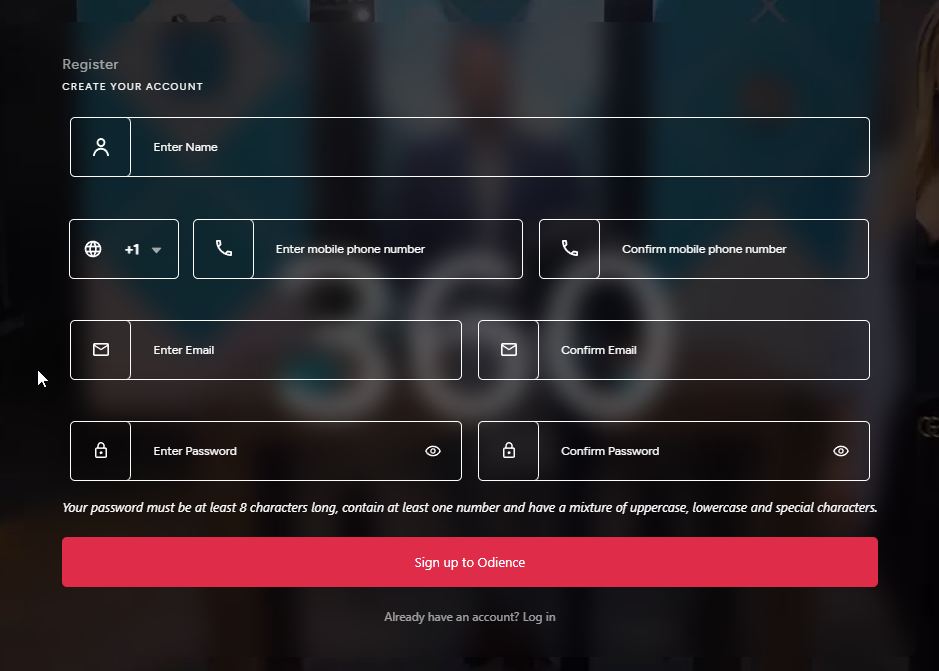
Any steps below with a asterisk "*" indicates that it is required field.
Enter your name*Select which country code your phone number is registered*Enter your mobile phone number & confirm phone number*Enter email & confirm email addressEnter a password - must be at least 8 characters long, contain at least one number and have a mixture of uppercase, lowercase and special characters. Then confirm password.Click "Sign up to Odience"