
Video Wall
Virtual Spectator Audio
- Turn on or off the virtual spectator audio
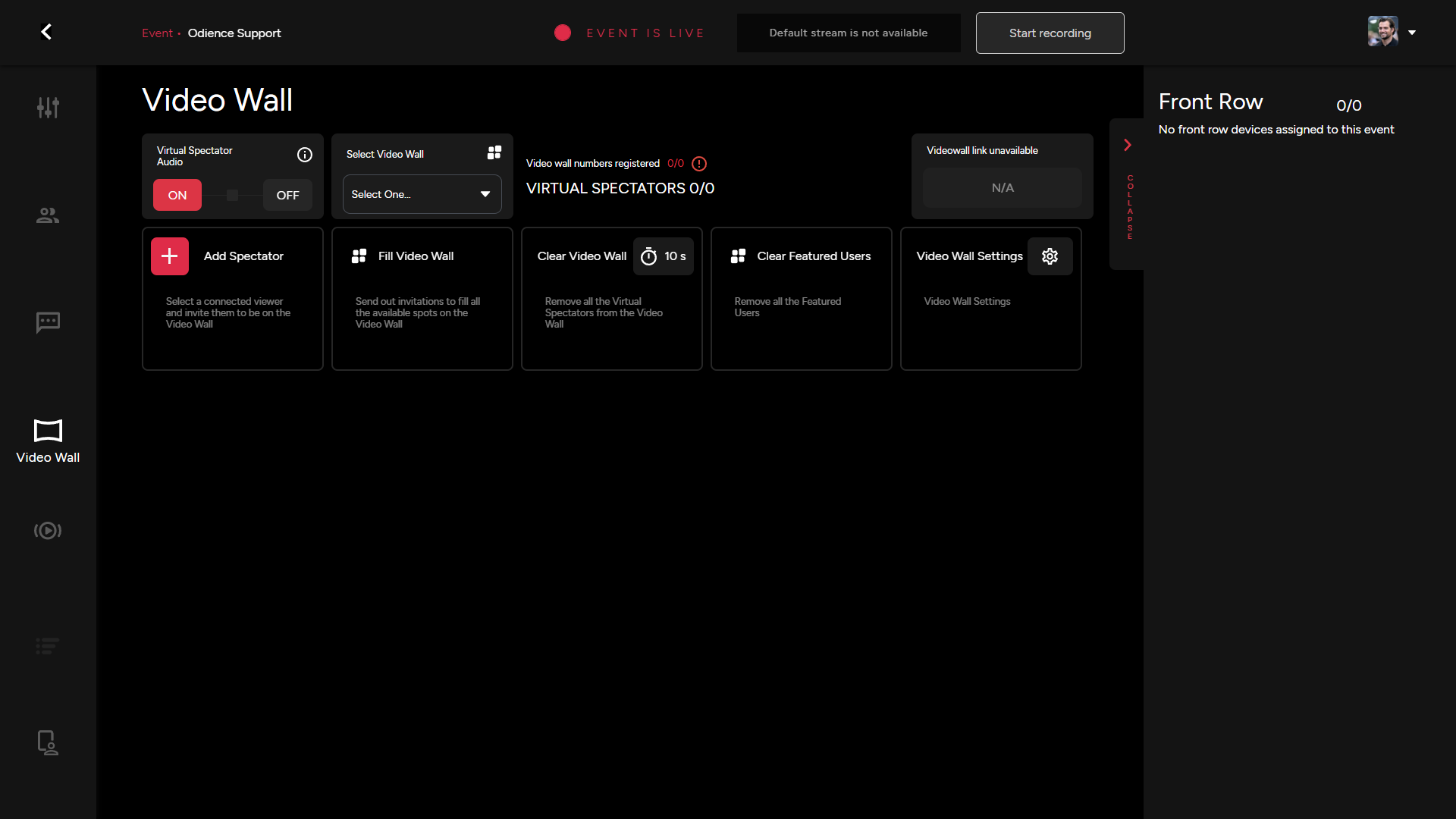
Add Spectator
- Select a connected viewer and invite them to be on the Video Wall
Fill Video Wall
- Quick access to remove all the virtual spectators from the video wall
Clear Video Wall
- Remove all the Virtual Spectators from the video with the click of a button. Set a Call Time, this will only be used when ending a call for a single spectator.
Clear Featured Users
- Remove all the Featured Users with the click of a button
Video Wall Settings
- Set the amount of time a connected viewer will have to accept an invitation before it disappears.
- Set video resolution, we support from SD 640x480 all the way to FHD 1920x1080.
Video Wall Link
-