
Invitations
Create New Design Template
1. To create a new design template, Click Edit to be directed to the invitations creation section.
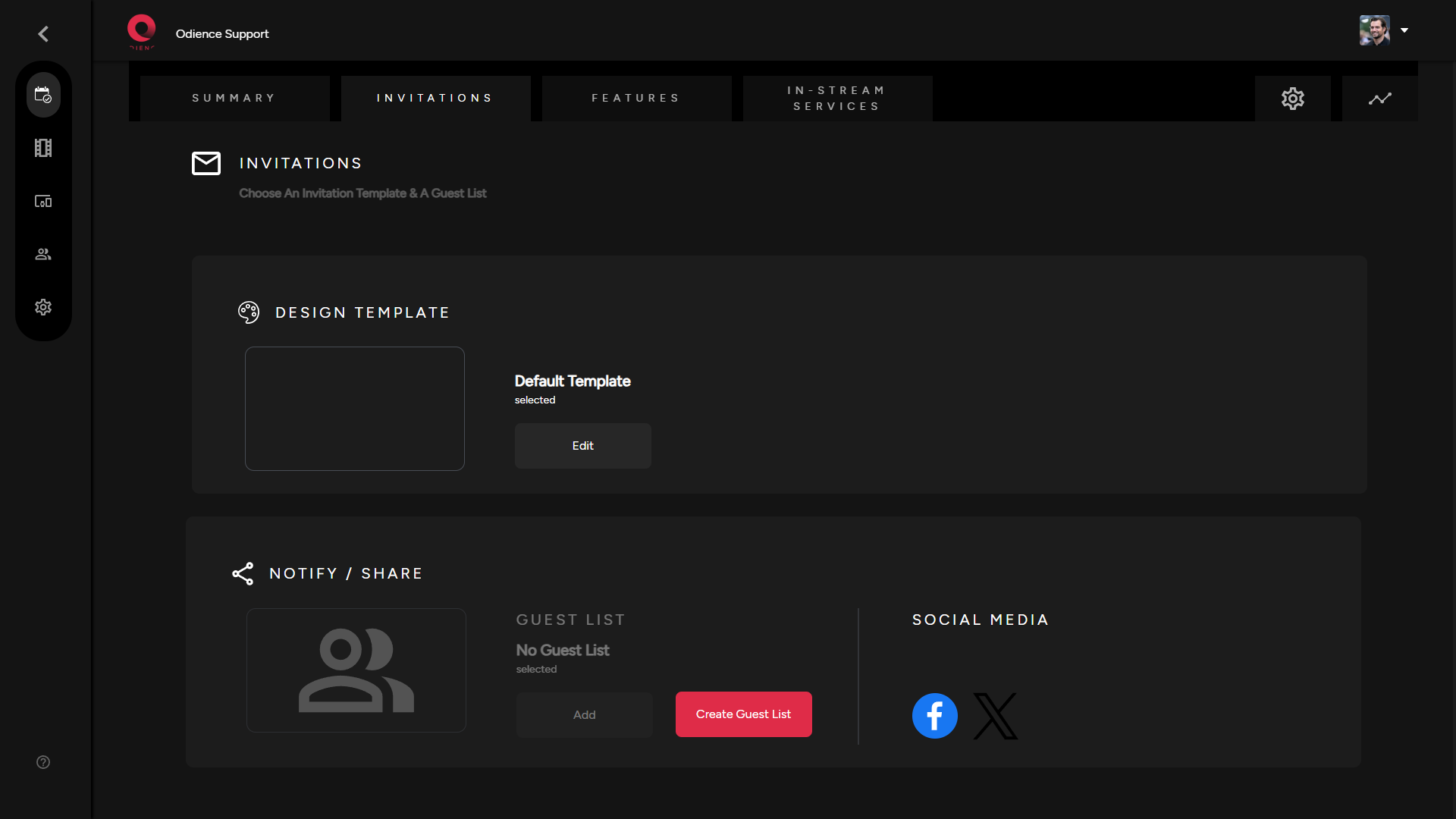
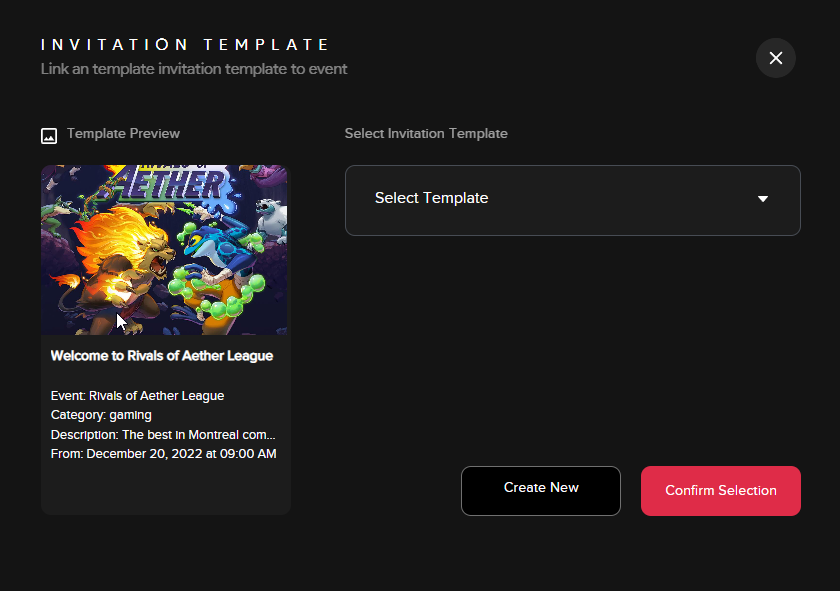
- Note: If you have templates already created, a small window will open (see below) giving you the option to add an existing template or to create a new one.
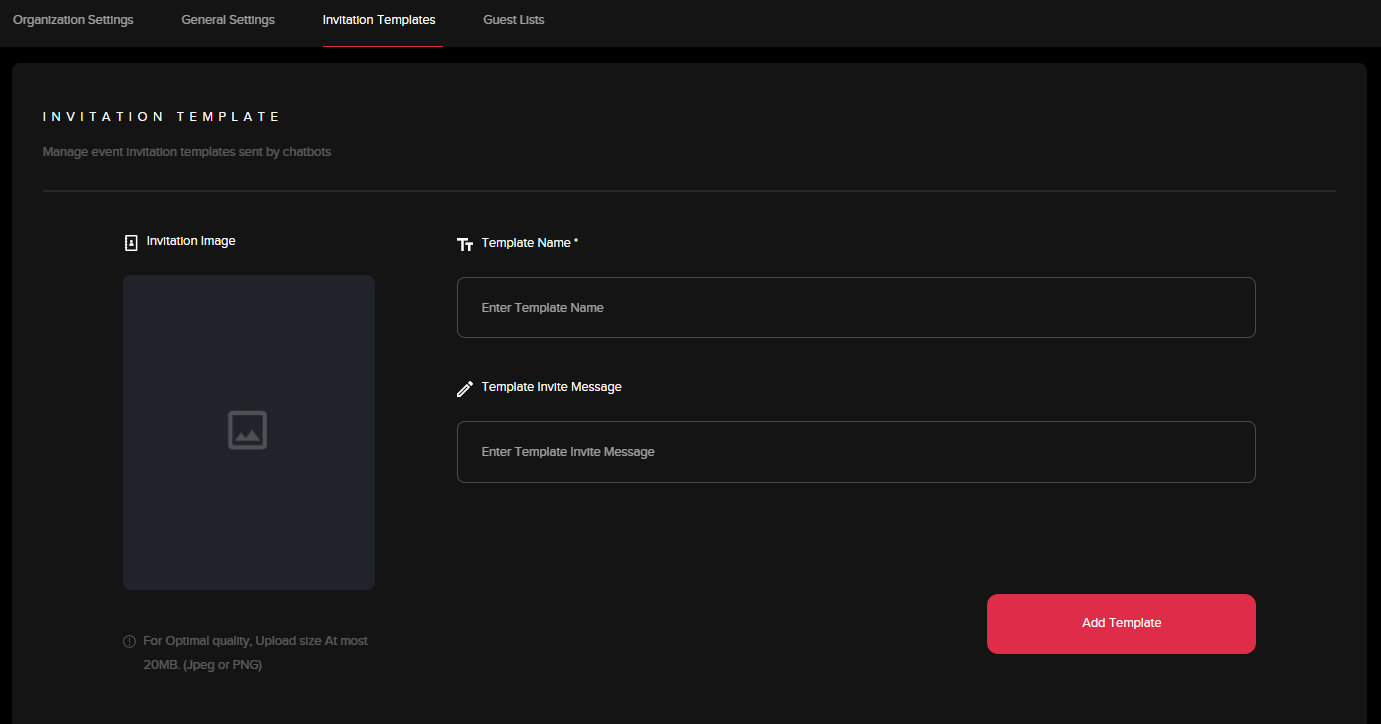
2. Fill out the information to create your invitation template. Click "Add Template" to finalize.
Creating a New Guest List
1. Click “Create New” within the guest list window
2. Fill out the information to create your guest list. Click Add Guest List to confirm.
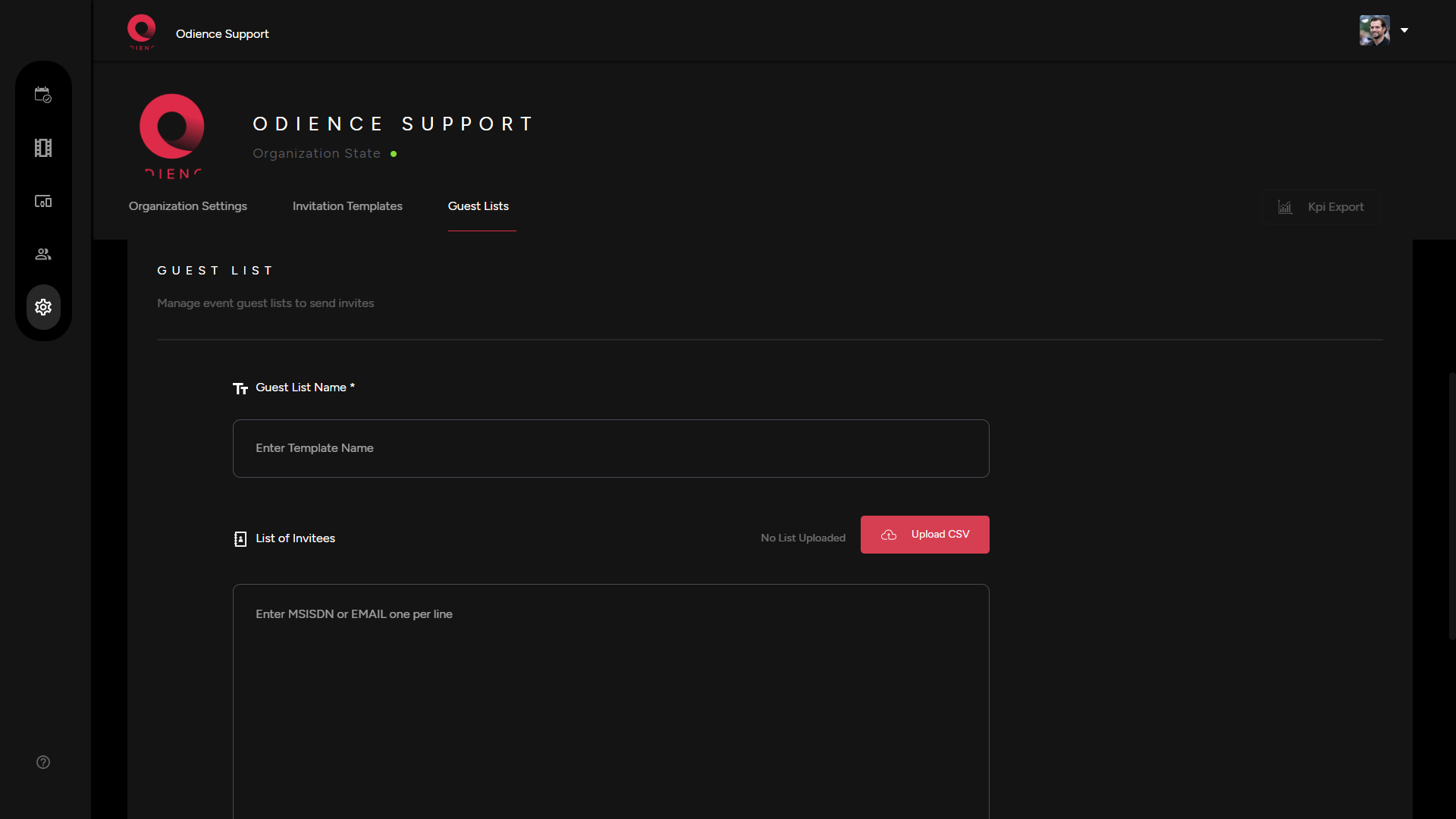
3. You can go back to your event to apply your new guest list. From where you can send out the invites and manage your invitations as well.
Share via Social Media
1. Odience can be publicized to platforms such as Facebook or X. Simply select the social media platform & go through the steps to publish.