
Featured Catalog
Create Featured Catalog
Note: If you don't have a shopping chatbot, you will need to create one first. Refer to our step-by-step guide on how to a Create a shopping chatbot.
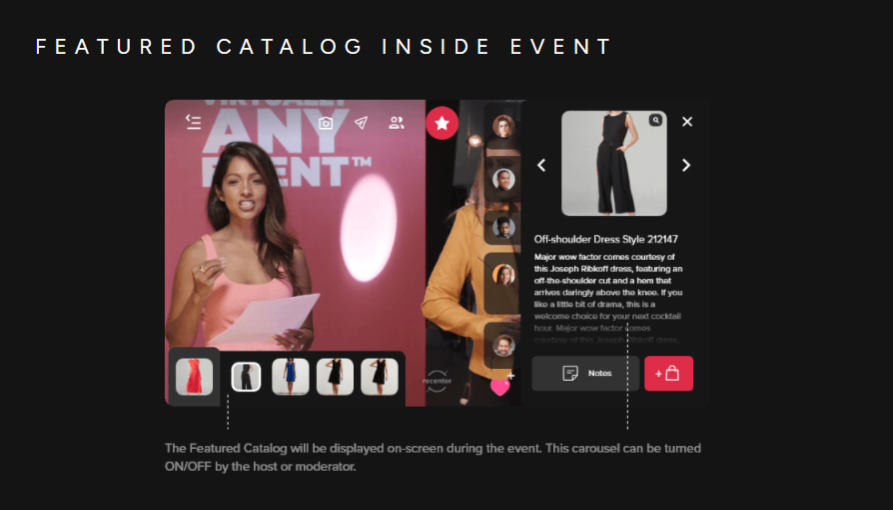
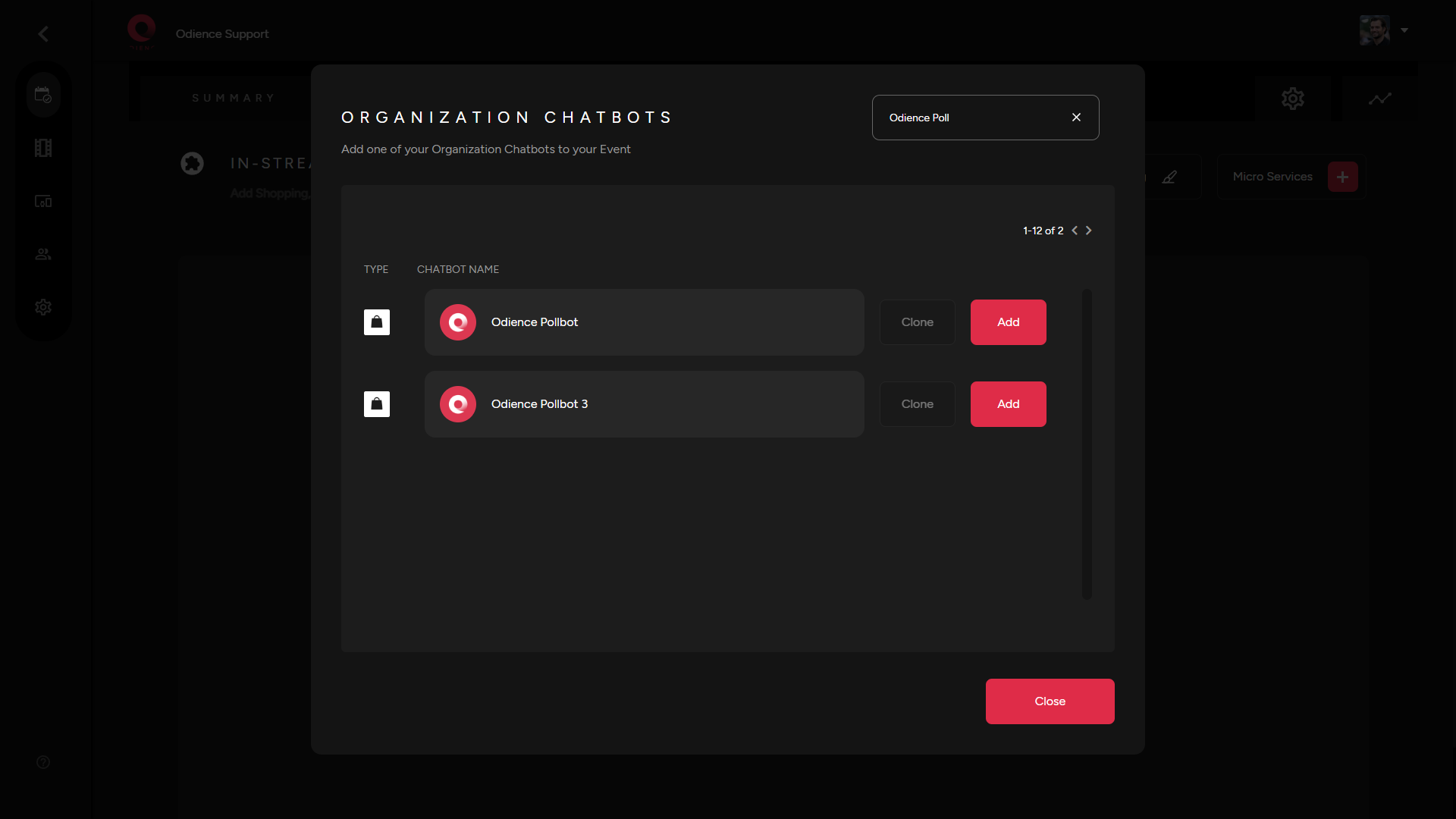
1. In the "Micro Services" drop down, select "Featured Catalog". Add a shopping chatbot from the Directory as the source.
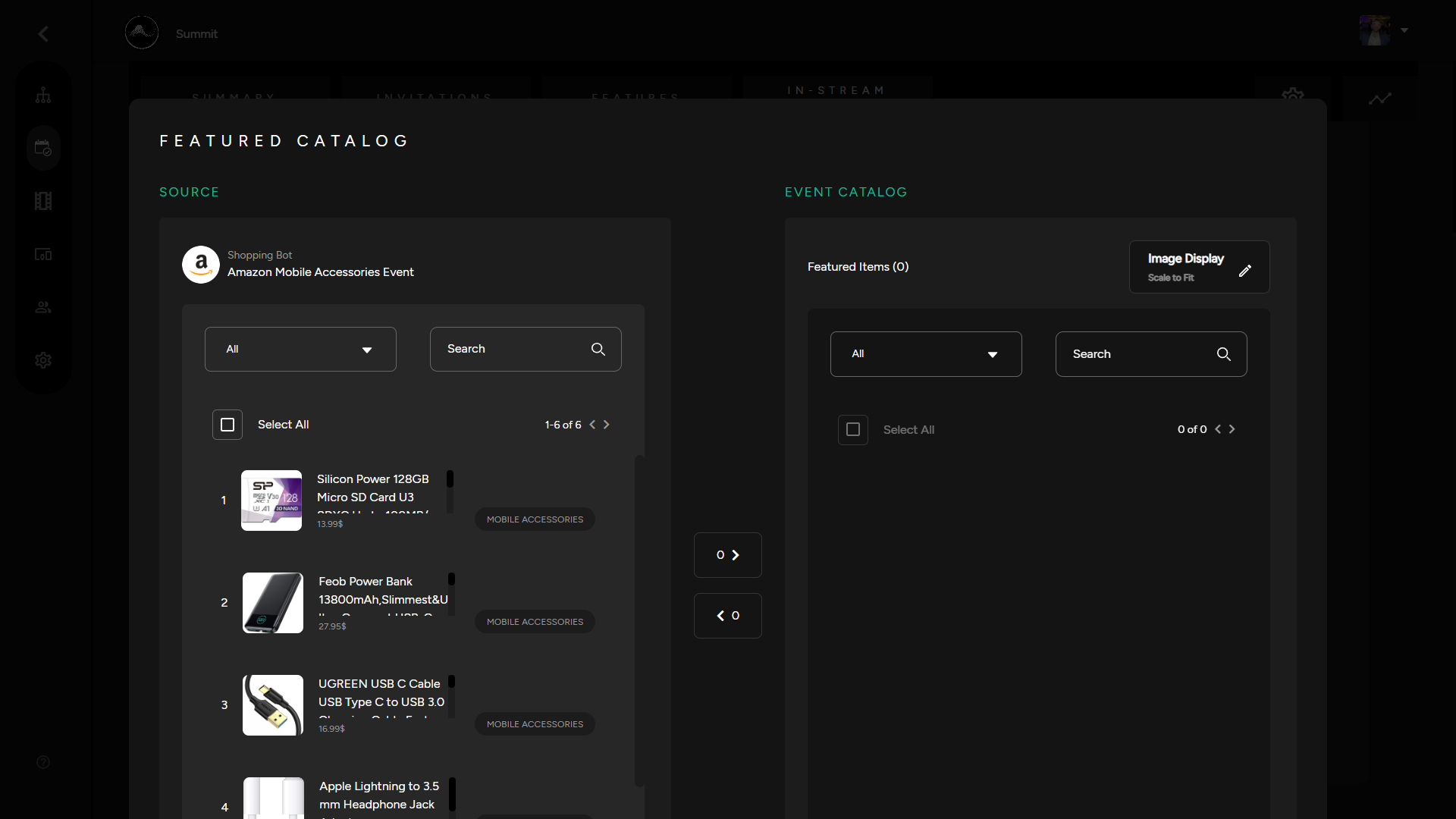
2. Edit Poll Feed to select which products you would like to be featured in your event catalog.
Custom Featured Catalog
- You can create a custom Featured Catalog by adding an XML product feed as the source of your Custom Featured Catalog.
1. Add your Product Feed URL, Click Save to add products, then choose which products you would like to include in your catalog.
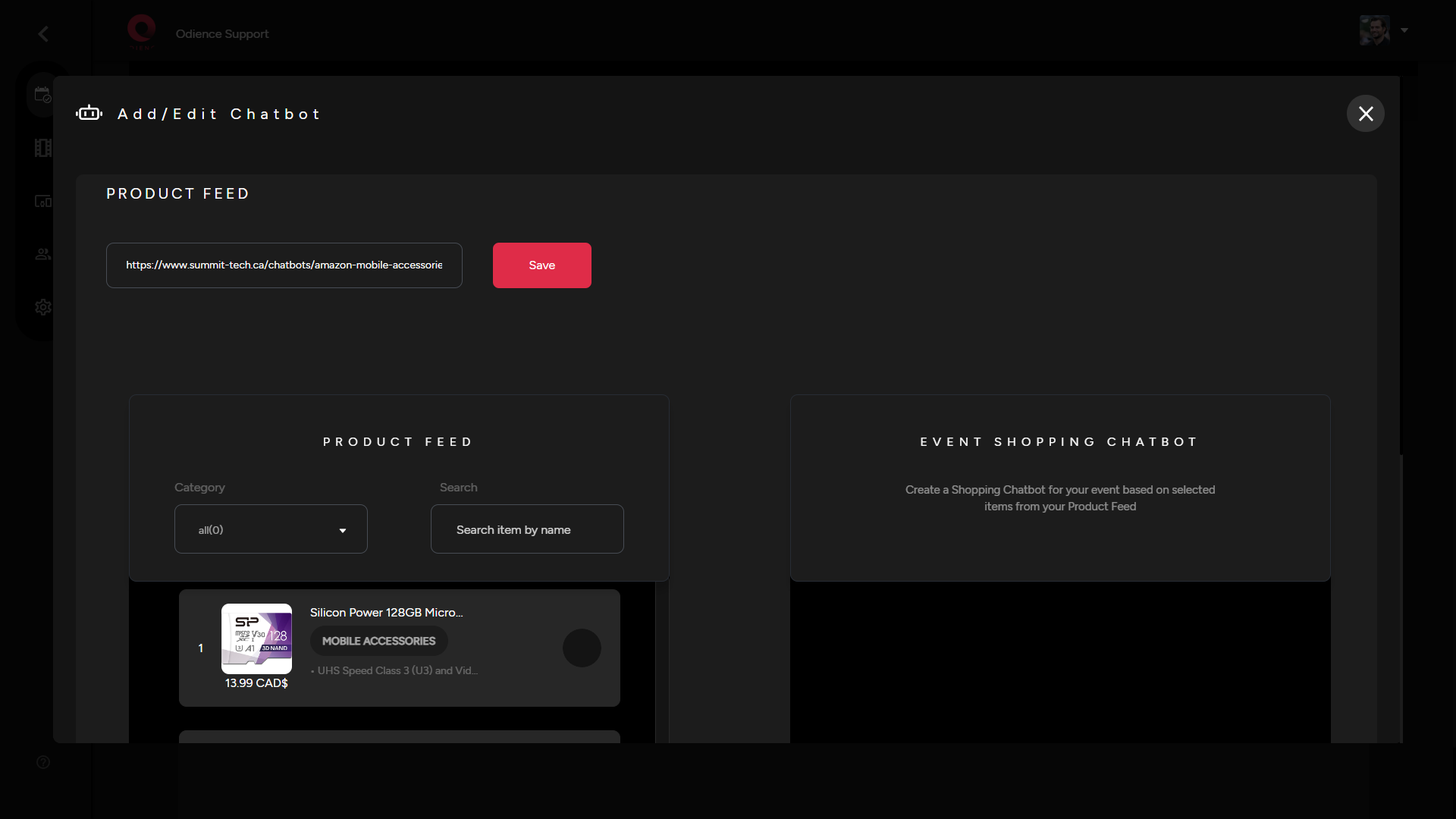
2. Click Save to apply your custom Featured Catalog.