Poll Bot
Create Poll Bot
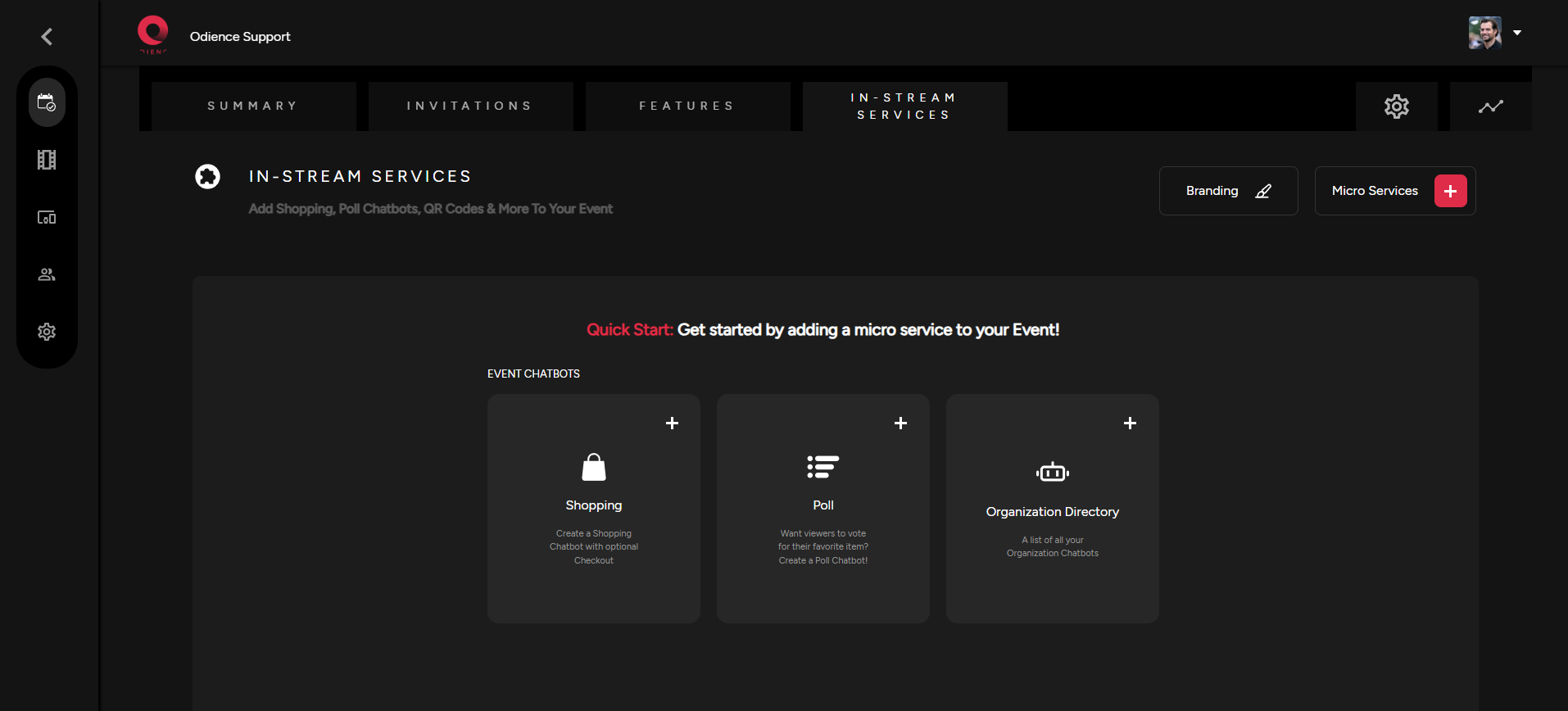
1. Start by selecting Poll in your Quick Start or by selecting Add Chatbot in your Micro Services dropdown.
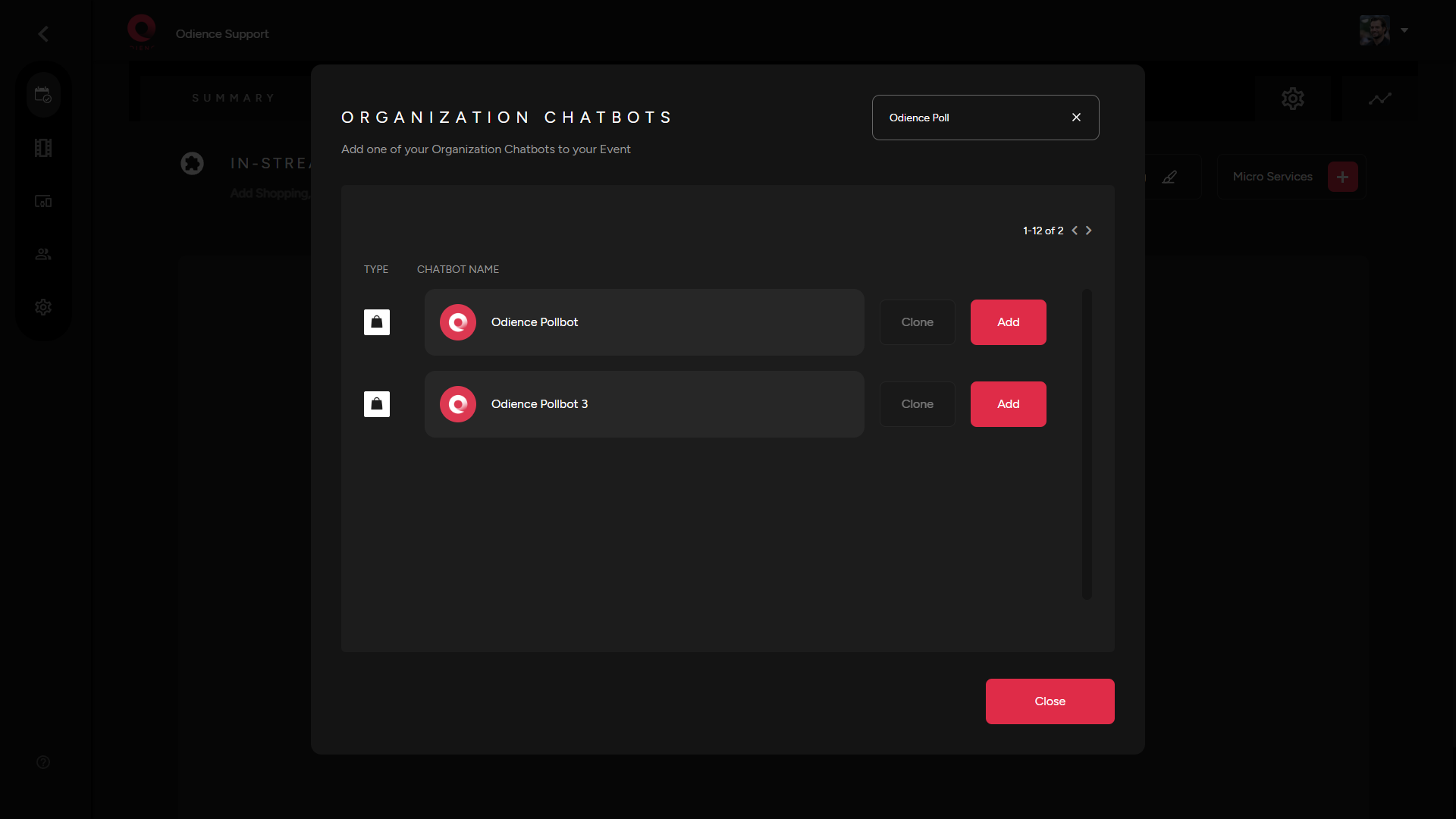
2. Add a chatbot from your Organization.
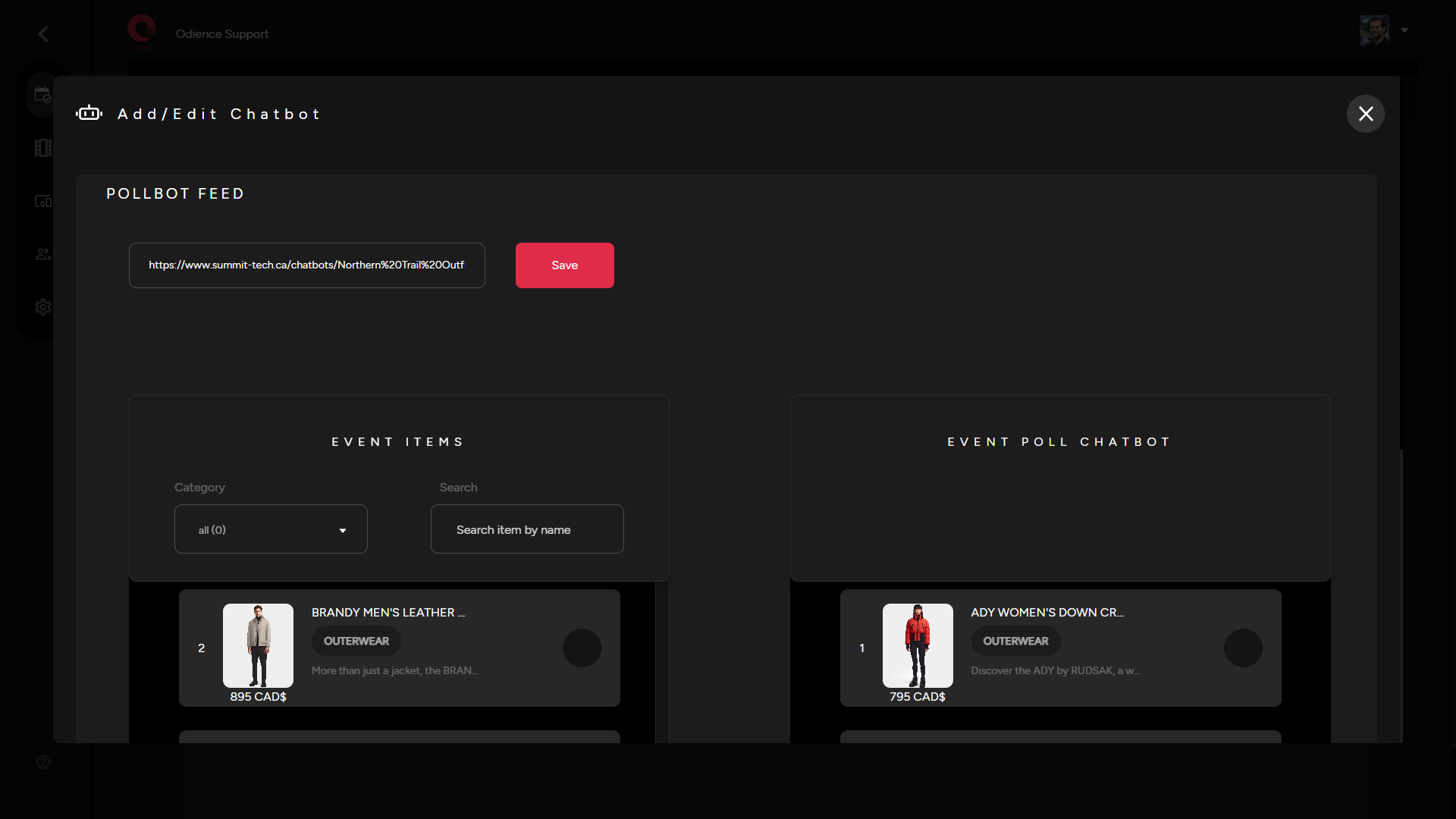
3. Add or edit Poll Feed by selecting the extra options right beside your Poll Bot. Select which products you want to include & then click Save
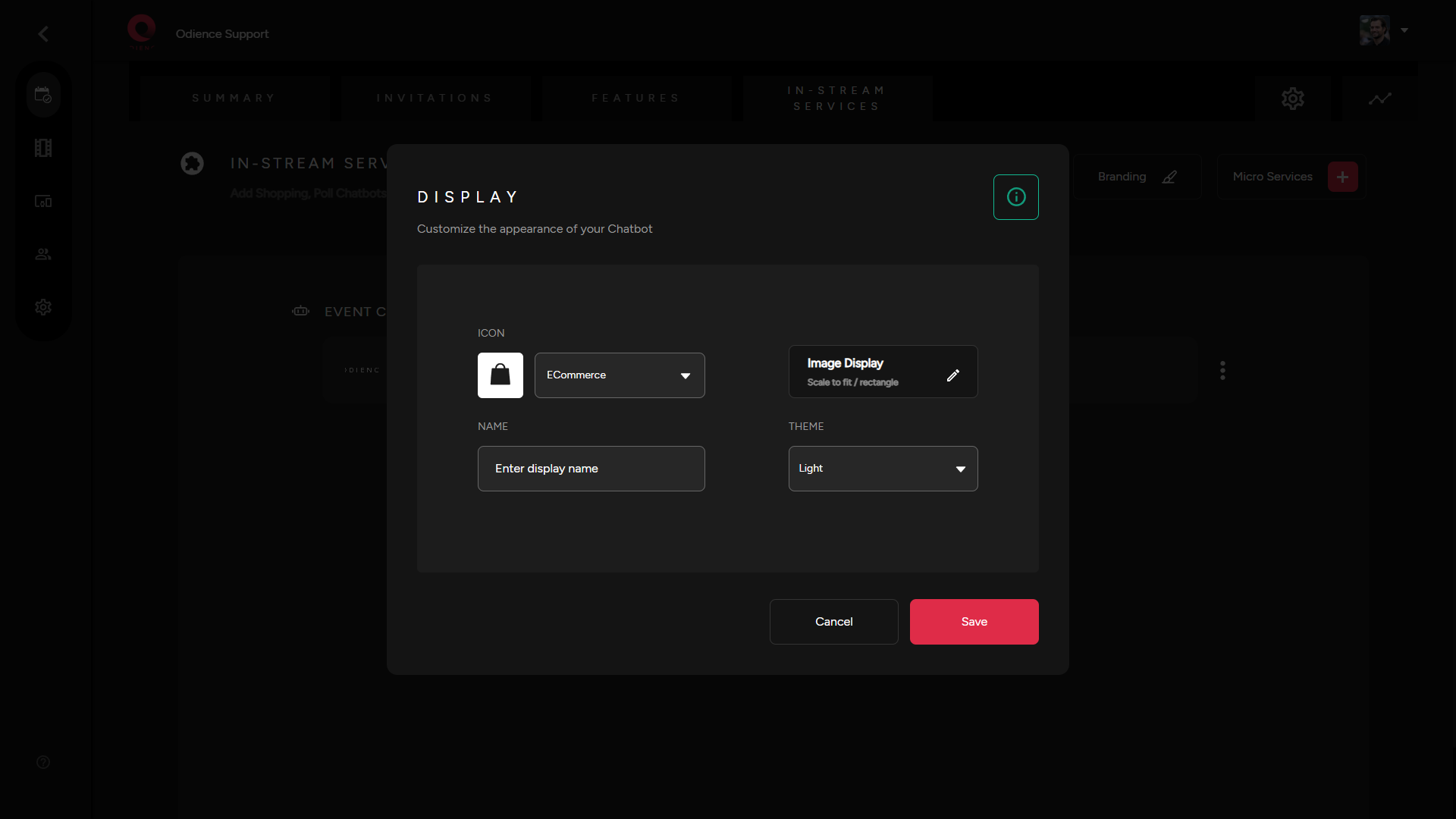
Customize Appearance
- Select the three stacked bullets toward the right side to customize the appearance of your chatbot. Click Save to confirm changes.